
Frequently asked questions
How do I create my account?
1. BrainTracks will send you an email with your account information.
2. Click on the link in the email to add a password to your account.
3. You will use this email address and password to access your BrainTracks account.
4. Bookmark the login screen for easy access.
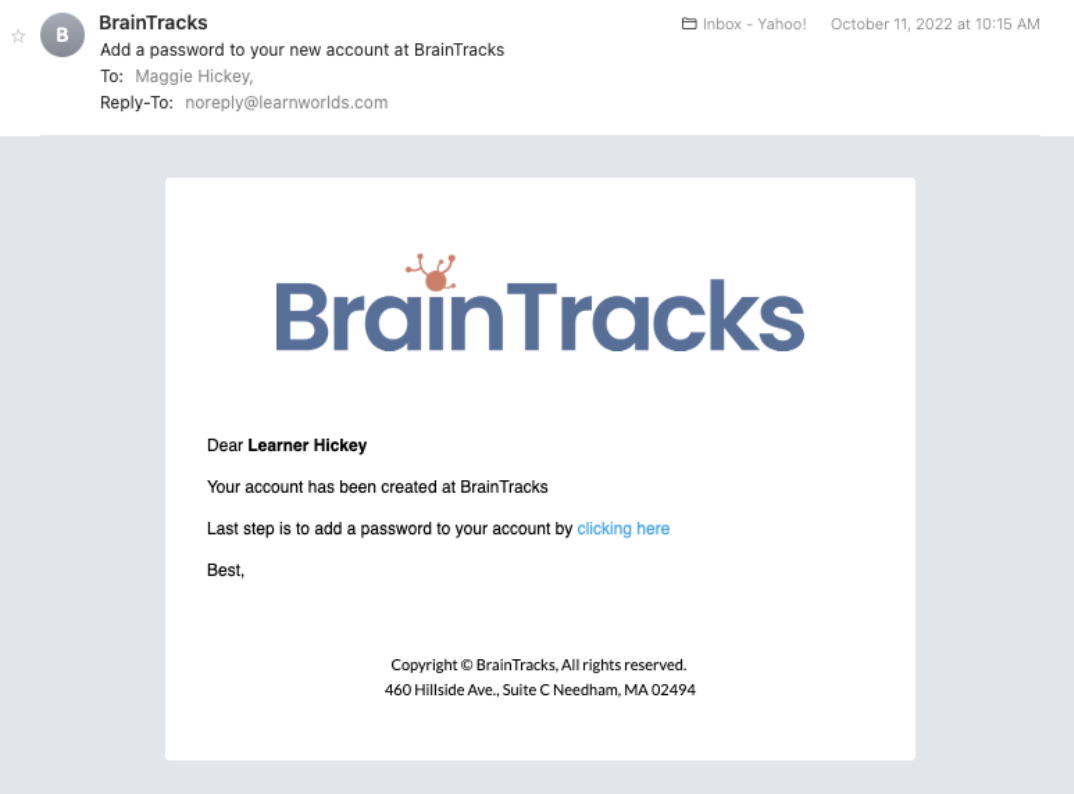
If you cannot locate the email in your Inbox, make sure to check the spam folder as it may have been accidentally caught by your email's spam filter. In this case, make sure to identify this message as "not junk" so that you don’t lose any future messages.
How do I login?
Login to the school via Email. Fill out your e-mail and password in the login form and then click Login.
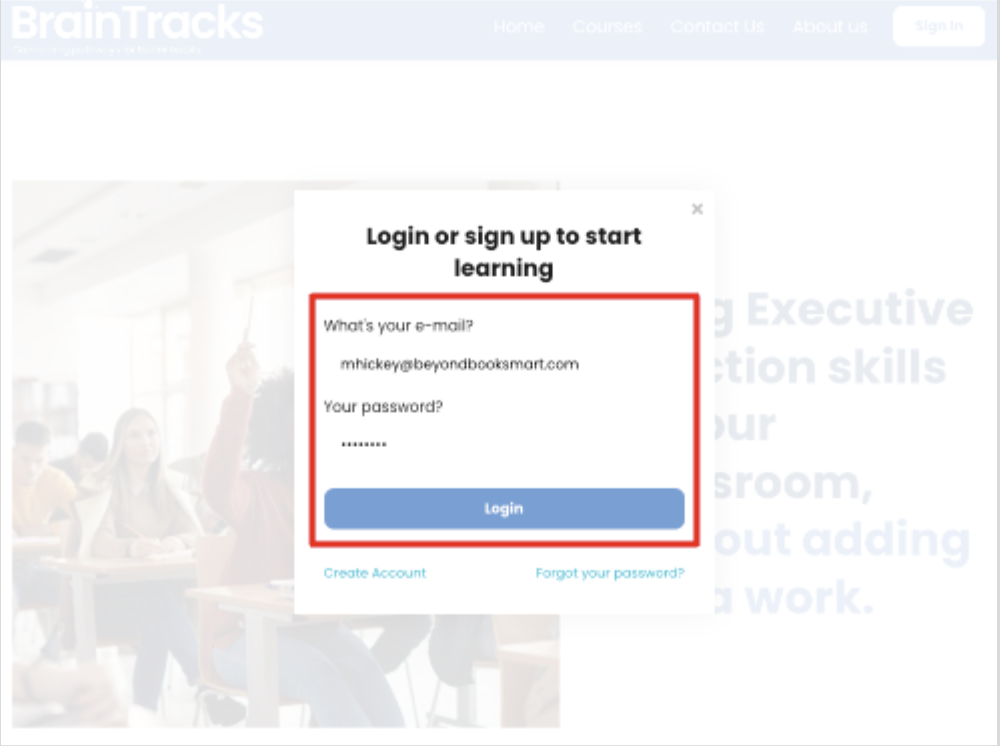
1. If you get a message that says “not found” make sure you are logging in with the email address that is associated with your account.
2. Make sure that the combination of email and password you tried is correct. For security reasons, our error message doesn’t explicitly reference whether you made a mistake in your email or password.
How do I reset my password?
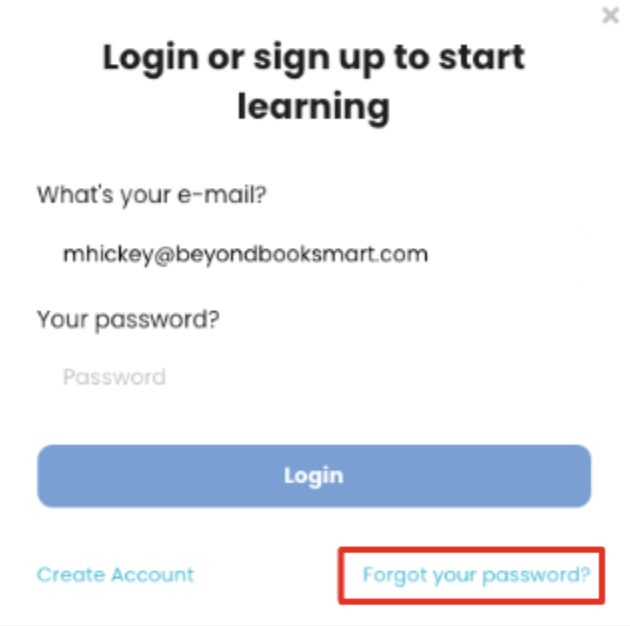
1. If you wish to get a brand new password, click on the Forgot your password? button.
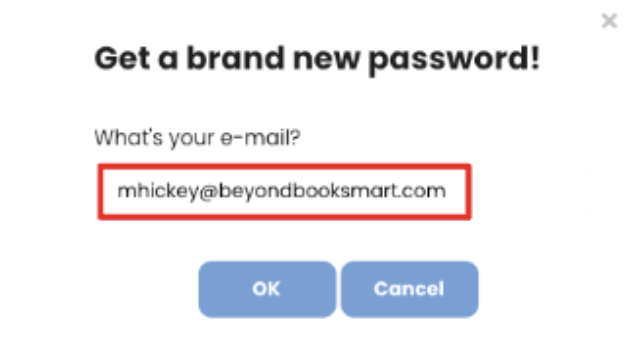
2. Type the email that corresponds to your account and click OK. An email will be sent to you with a link for setting a new password for your account.
3. If you are still facing issues, contact mhickey@braintracks.com for further assistance.
Note: If you cannot locate the email in your Inbox, make sure to check the spam folder as it may have been accidentally caught by your email's spam filter. In this case, make sure to identify this message as "not junk" so that you don’t lose any future correspondence from BrainTracks.
I still have questions!
If you still have questions are reviewing our FAQ, take a look at our BrainTracks User Guides. These illustrated guides explain how to use the BrainTracks website and course player.
Still looking for an answer? Email info@BrainTracks.com and we will respond within 24 business hours. Our business hours are 8:00am - 5:00pm EST.
Still looking for an answer? Email info@BrainTracks.com and we will respond within 24 business hours. Our business hours are 8:00am - 5:00pm EST.

Copyright © BrainTracks 2025. All Rights Reserved.